Privacy Tool Spotlight: Jellyfin

Twenty years ago, one of our members learned a hard lesson about software updates. It was a cool fall afternoon in the corporate headquarters. They sat in an open cubicle area arranged in a U-shape. From their central seat, they could see every monitor around them. Suddenly the computers started going haywire and dropping offline one after another. It was malware spreading rapidly from machine to machine. They yanked the network cable, shut down their PC, and watched as the company sent everyone home early as they dealt with the outbreak.
The next morning they discovered it was a known attack that had already been patched the year before. Why hadn't the company applied the fix? They insisted on testing every patch against every possible system configuration before rolling it out. The whole organization waited on the slowest, most complex setups instead of protecting the majority first.
Many companies have since adopted smarter update strategies that stop known exploits much faster, usually something like "N minus 1." We take a more aggressive approach and check for updates almost daily for two reasons. First, open-source projects release patches frequently. Second, security researchers are discovering and fixing vulnerabilities at a faster pace, often with help from AI tools. For example, just last week news broke about a serious 16 year-old Linux KVM flaw found by a researcher.
That recent wave of discoveries prompted us to take a fresh look at our Synology DiskStation. It handles two main jobs for us: the bulk of its work is as a file share and backup server, while it also runs as a media server using Synology's own Media Server package.
Automatic updates on the device had stopped working some time ago, and we admit we had been too relaxed about investigating why. We initially assumed it had reached end of life and began researching replacement options. We considered a new four-bay model with SSD caching and dual high-speed LAN ports. After seeing the prices, especially with current hardware shortages, we decided to dig deeper into what our existing DiskStation could still do. Remember, we self-fund our technology addiction!
We soon learned that Synology had paused automatic updates because newer versions broke compatibility with some older packages. A manual upgrade was available, but it would remove the well-used Media Server package since it was no longer supported. The good news? Synology now offers strong Docker support with a simple, user-friendly interface for loading container images and launching them. This made it easy to replace the old Media Server with something much better: Jellyfin.
Jellyfin
We had tried various media server solutions over the years. In fact, we still have our first Raspberry Pi 3 media server stored away. We've had mixed success with different options, but nothing beat the simplicity of Synology's Media Server. It made our entire library available through DLNA (Digital Living Network Alliance) and worked great with compatible players like VLC. It was simple, lightweight, and just worked. But saying it was bare-bones is an understatement.
A bit of research showed that many people had moved to running a Jellyfin container on their DiskStation. In their own words, Jellyfin is the volunteer-built media solution that puts you in control of your media. It is essentially your own private Netflix-like platform, but you own it completely. There are no subscriptions, no data sharing with any company, and no locked features. They even make it clear that they do not host servers for anyone.
The software includes all the features you would expect from a modern streaming platform:
- Library Management: Automatically scans your media files, pulls in metadata like posters, summaries, cast details, and more from sources like TheMovieDB, and organizes everything beautifully.
- Streaming: Stream to phones, tablets, smart TVs, browsers, game consoles, and more using official apps or DLNA and Chromecast support.
- Transcoding: On-the-fly conversion for different devices and bandwidths, with support for hardware acceleration like Intel Quick Sync and NVIDIA NVENC.
- Multi-user Support: Create accounts for family and friends with parental controls and personalized libraries.
- Extras: Live TV and DVR support, music with lyrics, books and audiobooks, synchronized group watching, mobile apps, and a growing plugin system.
It also helps that Jellyfin has a wide range of client apps available, including a web browser version, dedicated apps for Android and iOS, Roku, Fire TV, Android TV, and excellent third-party options like Infuse for Apple TV. Right now we are using the web client, the official Jellyfin iOS app, and Infuse on our Apple TV.
After manually upgrading the DiskStation to the latest version of Synology DiskStation Manager (DSM), we installed the Container Manager package. Soon we were downloading the official Jellyfin image. It was surprisingly quick and easy to get running. Within minutes we had it up and connected to our media libraries. The first full library scan took a while as it added posters, descriptions, and other details to every item, but the final result looked stunning. Here are some screen shots from the Jellyfin Demo site as an example:
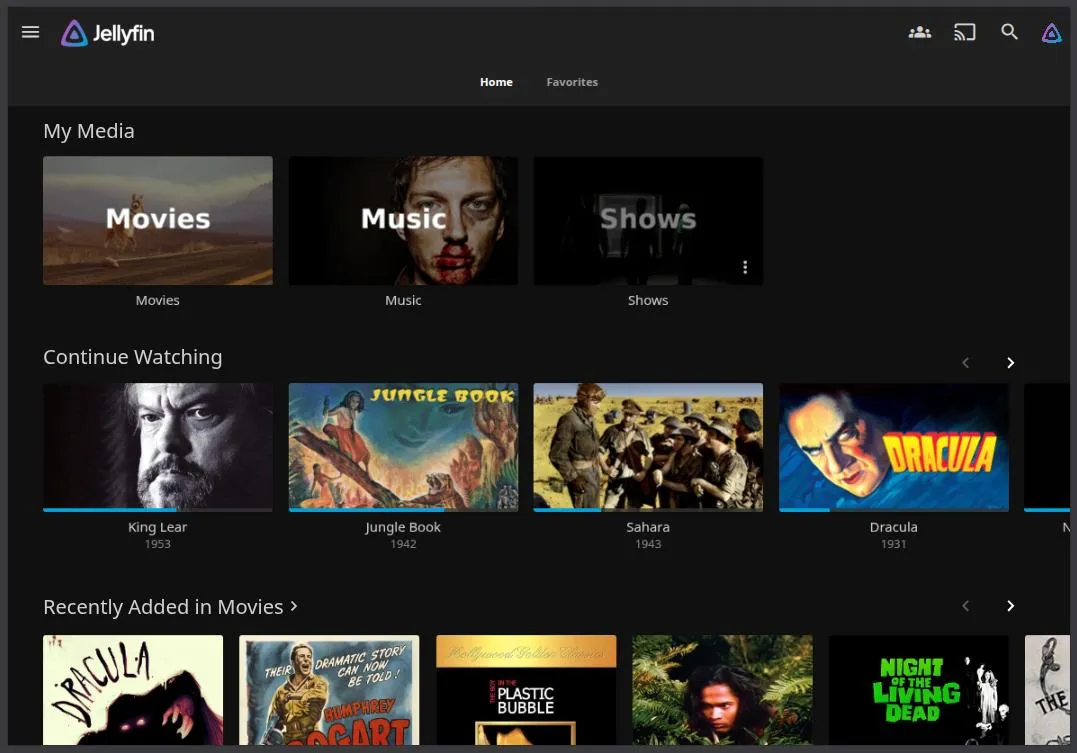
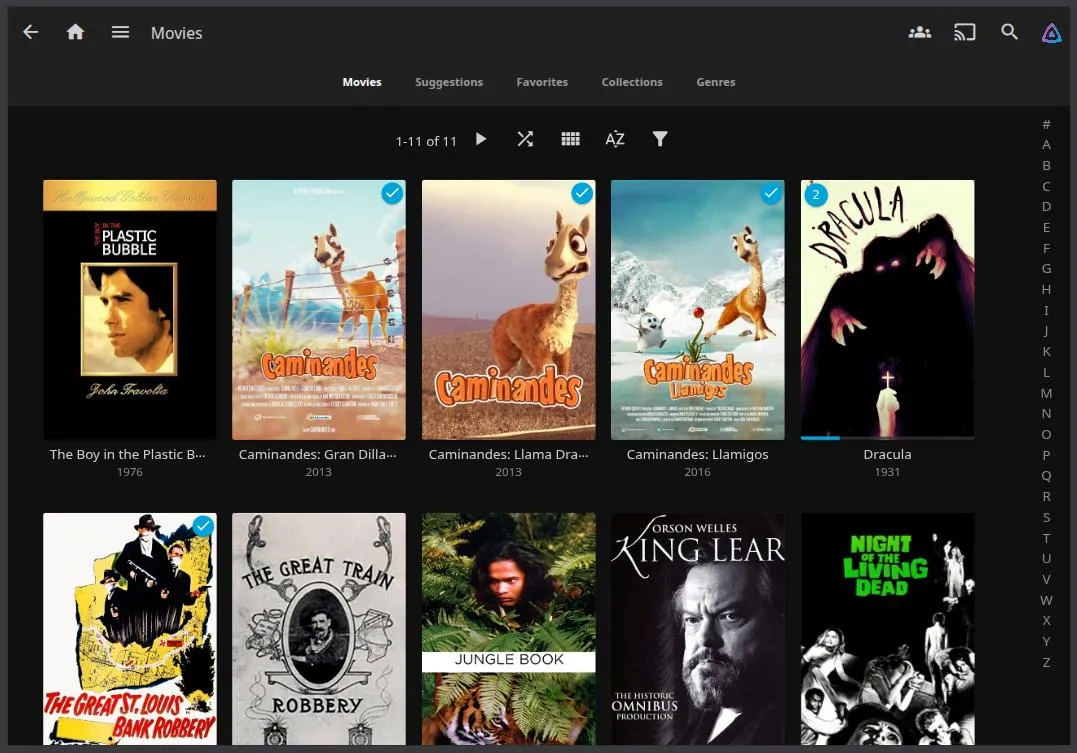
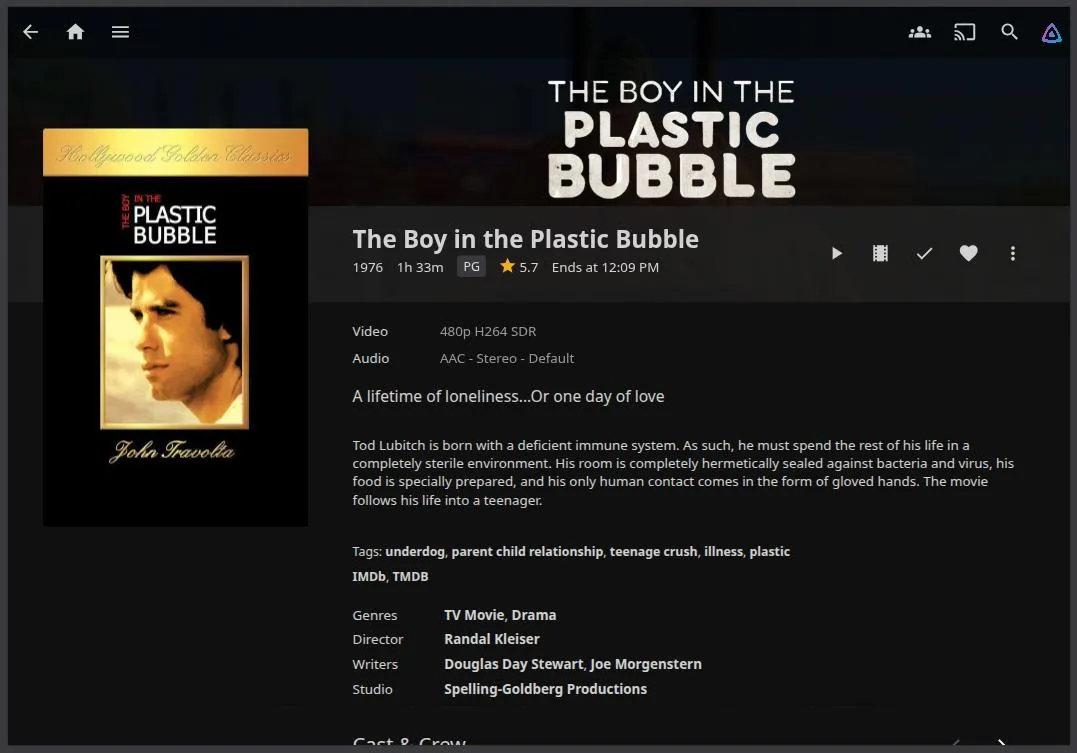
In short order we self-hosted something that was visually on par with any modern streaming service. Better yet, it uncovered several items that had been lost in the file server and sadly forgotten. Now all of our collections from movies to television shows, photos, and music were easily accessible by everyone on the local network. Creating new collections is very easy as well: add the first item to a new collection that you title, and add subsequent titles to the same collection. For example, take a series like "John Wick." Start by adding the first movie to a new collection called "John Wick" and add every movie in the series to the collection. Jellyfin will add the art, appropriate tags, and descriptions to make it look spectacular.
It's rare that we find something that works this well out of the box. We're asking ourselves why we didn't make the switch a couple of years ago because now we're enjoying self-hosted content daily.
Other Server Options
While we're repurposing an existing file server to host Jellyfin and our content, there are many other ways to run it. We shared our Docker experience on Synology, but native server apps are also available for Linux, Windows, and macOS. It can even run on a Raspberry Pi 4 or 5 (with some limitations on transcoding).
If you want something dedicated and low-power, a mini PC or an older desktop repurposed as a home server works great. Many people use Intel NUC-style devices or small form-factor PCs with Quick Sync support for smooth 4K transcoding. For maximum simplicity, you can install Jellyfin directly on Ubuntu or Debian Linux with just a few commands. Windows users get a straightforward installer too.
Docker is the most popular route for most folks because it keeps everything isolated and easy to update. You can run it on almost any hardware, including TrueNAS, Unraid, or even a regular Windows or Linux machine. For advanced users, Kubernetes setups or orchestration tools like Portainer make managing multiple containers simple.
The beauty of Jellyfin is its flexibility. Start small with a Raspberry Pi if you are just testing it out, or go bigger with a multi-bay NAS or dedicated server if you have a large library and multiple users. No matter which route you choose, you end up with full control over your media without monthly fees or privacy worries.
We're Fans
We're really happy with the results of this switch. There is nothing better than settling in with the family to watch our favorites on the big screen through the Apple TV 4K. Even better, everything works perfectly even during a complete internet outage because Jellyfin runs locally on our own hardware.
Is Jellyfin the only media server solution out there? Not at all. But it is definitely one worth considering if you want a cleaner, more powerful, and truly private way to manage and enjoy your personal media collection.
If you are running a Synology DiskStation or any other capable hardware, give Jellyfin a try. You might just wonder why you waited so long too.
Remember: We may not have anything to hide, but everything to protect.