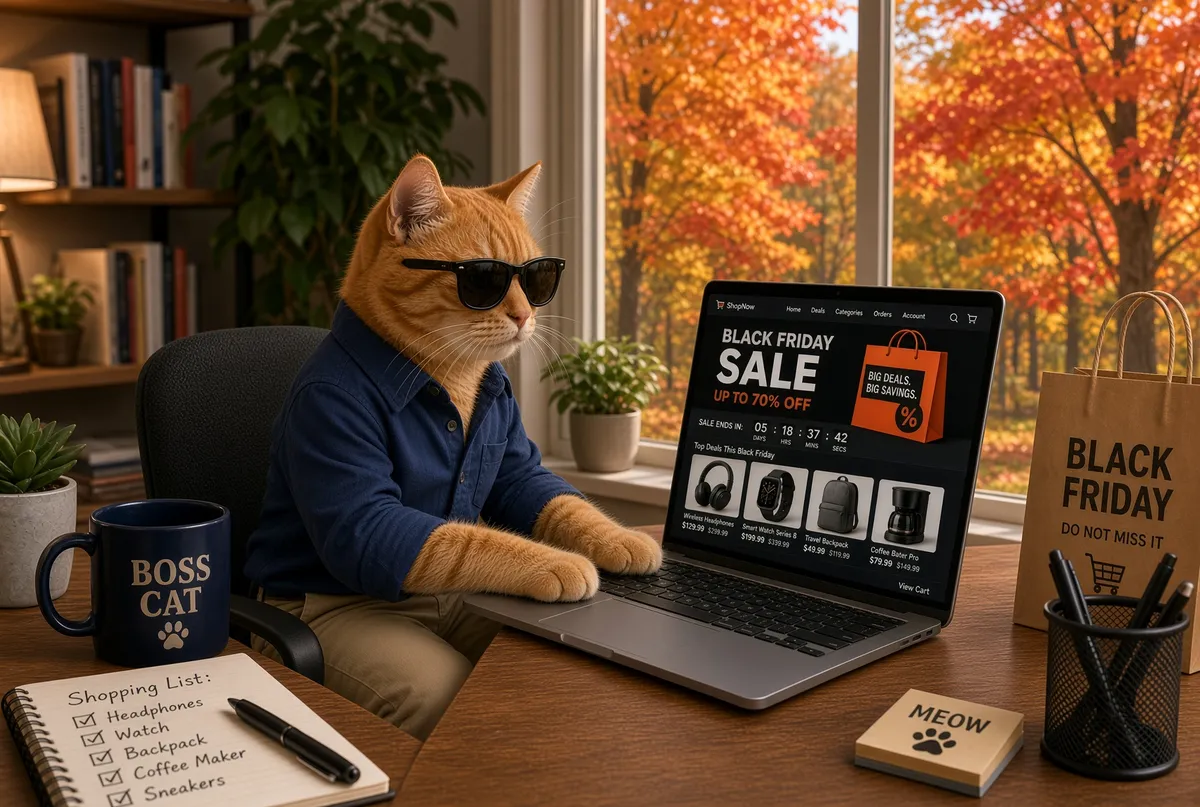
Privacy Guide to Black Friday: How to Shop Without Selling Your Identity

Black Friday and Cyber Monday are the biggest shopping events of the year in the US. The five-day Cyber 5 stretch (Thanksgiving through Cyber Monday) drove $44.2 billion in US online sales in 2025. Put another way: in a five-day window, Americans spent online roughly a sixth 17.3% of everything they'd spend online during the entire holiday season. Almost everyone looks forward to these deals.
At the lab, we deliberately wait to buy privacy tools and services until the discounts arrive. Unless you need something right away, holding out is worth it. The deals are already starting to show up online.
Those deep discounts are tempting, but they come with a real cost. A smart speaker you buy on sale can keep listening and building a profile of your household for years. An abandoned cart can follow you around the web with the same ad for weeks. During these sales, data harvesting, invasive tracking, and sophisticated scams all spike. Retailers and scammers both turn up the pressure.
You do not have to skip the sales. The smarter approach is to shop with a Zero Trust mindset: never assume a site, app, or device is safe just because it looks convenient. This guide gives you a clear, practical way to grab the deals you want without handing your information to data brokers, trackers, or scammers.
1. The "Spy-in-the-Gift" Problem: Avoid Invasive Tech
You see the same deals we do. Smart home devices often drop to steep discounts, especially when the company selling them profits from collecting your data. The biggest privacy risk is not a hacked account. It is a device you willingly bring into your home that spies on you all year long. Even worse, many of these devices rarely receive updates, which can create serious security holes. A lot of modern smart tech works like a Trojan horse for ongoing data collection.
AI-Powered Toys & Companion Robots: These carry high risk. They usually include microphones and cameras that send chat logs and audio to the cloud. Independent tests show they frequently share data with third-party AI companies. Encryption, security, and options to delete that data are often weak.
Smart Speakers & Voice Assistants: These devices tie your name, location, and even health-related signals to a long-term profile.
The "Eyes" in Your Home: Video doorbells, robot vacuums, and smart cameras map your floor plan and record guests who never agreed to be filmed.
Smart TVs & AI Photo Frames: These use Automatic Content Recognition (ACR) to track what you watch. Many also apply facial or emotion analysis to build advertising profiles.
The Subscription Trap: Watch out for cheap smart devices that lock basic features (such as cloud storage or motion alerts) behind a monthly fee. You are not just buying a gadget. You are signing up for a recurring drain on both your data and your wallet.
Quick questions before you buy any smart device:
- Does it require a cloud account just to turn on or use basic features?
- Is there a true offline or local-only mode, or does everything go through the manufacturer's servers?
- How often does the company push security updates, and for how many years?
✅ The Privacy Alternative: Choose encrypted or "Local-Control" devices. Look for hardware that works with Apple Home or Home Assistant (a popular open-source platform for controlling smart devices without the cloud) that supports end-to-end encryption or can run without a cloud account. For kids, stick with offline toys that do not need an internet connection to work.
2. Build Your "Privacy Stack" for Transactions
Here is the whole stack in one breath: one email alias, one password manager, one virtual card, one pickup point. About ten minutes to set up, most of it free. Once it's in place, no single store ever holds your real email, your reused password, your actual card number, or your home address at the same time. That is the goal: compartmentalization, so one breach or one data sale exposes a fraction of your identity, not all of it.
Why bother? Every online purchase leaves a trail: which store you visited, what you looked at, what you abandoned, where you live. Retailers monetize that trail, and data brokers resell it. In the rush for deals, it is also easy to get sloppy and create genuine security risks, like reusing a password across five stores that all get breached. The stack takes care of both problems at once. Here's each piece:
Email Aliases (The "One-Per-Retailer" Rule): Never use your primary email for shopping. An alias is a forwarding address that lands mail in your real inbox but never reveals it. Services include SimpleLogin by Proton (the same team behind Proton Mail), Firefox Relay from Mozilla, and Apple Hide My Email (built into iCloud). Create a unique alias for every store. If spam starts arriving, you know exactly which retailer sold or leaked your address, and you can delete that alias and move on.
Unique Passwords and 2FA: Many stores force you to create an account just to check out. Do not reuse passwords or settle for weak ones. Create a strong, unique password or passkey for every site, and turn on two-factor authentication (or a passkey) whenever the store offers it. A good password manager (Bitwarden, 1Password, or Proton Pass) makes this fast and painless.
Virtual/Masked Cards: Use Privacy.com or your bank's virtual card feature (most major banks now offer one, so check your card settings or app). These services generate substitute card numbers that stand in for your real one. Create unique, merchant-locked cards (valid at only one store) or single-use cards for unfamiliar sellers. Set spending limits so a forgotten subscription cannot quietly drain your account. Note: signing up for a virtual card service still requires verifying your identity with the provider. The benefit is that individual stores never see your real card number.
Shipping: Avoid shipping to your home address when you can. Use Amazon Lockers, pickup at UPS or FedEx, or a Commercial Mail Receiving Agency (CMRA) like the UPS Store to keep packages off your doorstep. Fair warning: most of these options still require an account tied to your real identity, so the main benefit is reducing exposure of your home location rather than complete anonymity.
Browser Hygiene: Shop in a dedicated "Shopping" browser profile, or use a privacy-focused browser such as Brave or Mullvad (both built specifically to block trackers) with strict tracking protection turned on. This keeps shopping cookies and trackers from following you into your everyday browsing.
3. Two Threats, Two Defenses: Tracking and AI Scams
The biggest threat during the holidays is not always a bad product. It is often a completely fraudulent one, and it arrives in two different forms: the store that tracks everything you do, and the store that was never real in the first place.
Threat 1: The Tracking Engine
Retailers use tracking pixels to follow you across the web. They do not just know what you bought. They also know what you looked at and abandoned. This creates the persistent retargeting loop that chases you from site to site with the same ads. Countdown timers and "only 3 left" messages are designed to rush you past basic checks.
Defending against this is mostly behavioral, with one structural trick:
- Break the loop at the source. Trackers fire when you click an ad. Arrive at the store by searching for the brand directly instead, and the ad network loses the click.
- Contain what you can't prevent. The dedicated browser profile from the Privacy Stack keeps shopping cookies quarantined. If you only shop in one profile, that is the only profile that gets followed around.
- Treat urgency as a red flag. A deal that expires in four minutes is a tactic, not a deadline. Good deals survive a five-minute sanity check.
Threat 2: The New Wave of AI Scams
Social media ads are currently seeing an influx of fraudulent e-commerce stores. AI has made these scams significantly harder to spot by generating:
- Polished Graphics: Scammers no longer rely on broken English or blurry images.
- Deepfake Endorsements: Fake celebrity or influencer endorsements are becoming much more convincing.
- Look-alike URLs: It is increasingly easy for scammers to create web addresses that look nearly identical to legitimate brands.
Fake shipping and delivery messages are also extremely common right now. Scammers send texts and emails claiming your package is delayed, needs a customs fee, or requires you to "confirm your address." These almost always lead to phishing sites that steal login details or payment information. Rule of thumb: never click delivery links in unexpected messages. Track orders only through the retailer's own site or app.
🚨 The 3-Second Scam Test:
Before you hit "Checkout," ask yourself three quick questions:
- Did I arrive here through a social media ad? If yes, proceed with extreme caution. Better yet, open a search engine and look up the item or brand directly.
- Is the discount unrealistically deep? If a $500 item is listed for $30, it is almost certainly a scam. This is especially common with computer storage, memory, and electronics.
- Does the URL match the brand I searched for? If the address looks slightly off, close the tab.
4. Tactical Summary: The Shopping Checklist
🛒 Before You Buy
- Search, Don't Click: Never click through from a Facebook or Instagram ad to make a purchase. Close the app, open your browser, and search for the brand directly. This breaks the tracking loop and helps you land on the real site.
- Research the Privacy Profile: Search
[Product Name] + privacyor[Product Name] + scambefore adding anything to your cart. - Check the Policy: Make sure the device does not require an always-on cloud account to function. Ask the quick questions from Section 1.
- Know the Return Window: Check the return policy before buying, not after. Scam-adjacent listings often hide restocking fees or offer no returns at all, and a deal is not a deal if you're stuck with something that doesn't work.
💳 During Checkout
- Deploy the Stack: Use your Email Alias + Virtual Card + Verified URL.
- Avoid Social Logins: Never use "Sign in with Facebook" or "Sign in with Google" on a retail site. This is a massive data-linking vector.
- Turn on 2FA or a passkey if the store offers it.
📦 Post-Purchase & Setup
- Network Hygiene: If you are setting up a new smart device, put it on a Guest Network so it stays isolated from your primary computers and phones.
- Audit Permissions: Once the device is set up, review the app permissions. Does that smart lightbulb really need access to your contacts and microphone?
- The One-Week Audit: One week after the holiday rush, check your email aliases and bank statements for unexpected charges or a sudden surge in spam.
- Close the Door Behind You: If you do not plan to shop with a retailer again, unsubscribe from promotional emails, and delete the account entirely. Many stores let you request data deletion too. It only takes a minute, and it erases one more profile of you.
Bottom Line: You do not have to skip the sales. You just need to stop treating every ad as a trusted source and every "smart" device as a friendly guest. Start with the basics: one email alias and one virtual card. That alone breaks the two most valuable links in the data chain, your identity and your payment info, and the rest of the stack can follow when you're ready.
Remember: We may not have anything to hide, but everything to protect.